Lab 6-1 Install DOS using Floppy Disk Images


  1. Go into Virtual PC where you have your DOS installation.
  2. Open DOS if you saved the state last time.
  3. Close DOS, do not save state.
  4. Click on your DOS installation and select settings
  5. Click on Hard Disk 1 and write down, below, where your virtual hard disk is stored (no sense in creating a new one, we’ll just reformat and install on this one).
  6. Click Cancel.
  7. Click your DOS and click remove. Yup, you’re going to delete that DOS.
  8. Follow the instructions below to reinstall DOS using the disk images online.


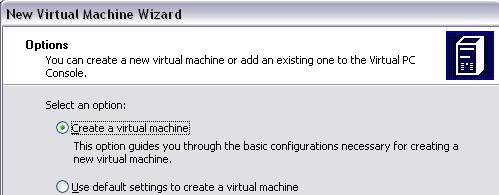
  1. FileàNew virtual machine wizard.
  2. Create a new virtual machine.

  1. Name your virtual machine DOS and save it in the same place you had your old DOS. (If it won’t let you save over it, just name it DOS 6.22)
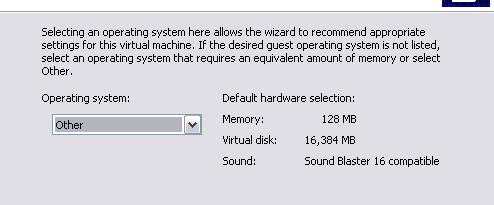
  2. The Operating system will be Other. Virtual PC does not support DOS (supposedly).

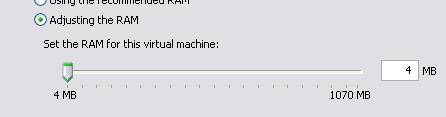
  1. Adjust the RAM down to 4 MB. We don’t need more than that.

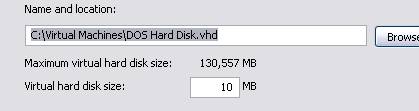
  1. Select an existing hard disk and choose your other DOS disk, unless it was huge. If it was huge, delete it and create a new one using only 10 MB.

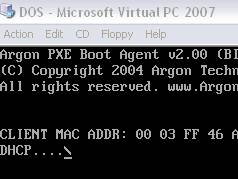
  1. While DOS is booting go under the Floppy menu and select “Capture Floppy Disk Image”
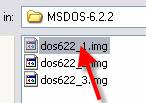
  2. The image is in \\csn\pub \Software\ISOs\MSDOS-6.2.2


  1. Click the first image file. That’s your first floppy.
  2. If you grab it while it’s booting, it should boot right into the installer. If it’s “too late” just hit return when it says it can’t find an OS.
  3. Hit Enter at the installer screen.


  1. If you kept your old virtual hard drive, you’ll get the message shown. Go ahead and continue setup by hitting Enter.

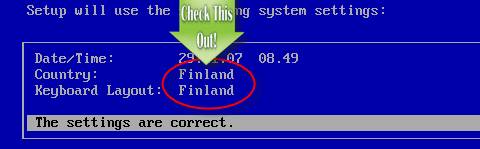
  1. NOW DON’T JUST HIT ENTER!
  2. Look at the settings.
  3. We are not in Finland!

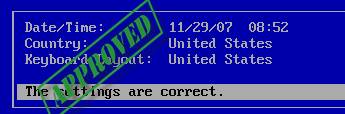
  1. Using your arrow keys, move up to Country and hit Enter. Select United States.
  2. Do the same for Keyboard Layout.

  1. NOW you can hit Enter.
  2. When it wants the next disk, go under Floppy and release the first disk image. Then go under floppy and capture disk image 2. Hit Enter.
  3. Do the same when it asks for three.
  4. You’re done reinstalling DOS using floppy disk images!
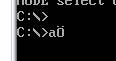
  1. Test to make sure you did it right. Reboot and type a:
  2. If you see the picture to the right, YOU DID IT WRONG! START OVER!


Answer the questions below.


  1. What is a disk image?


  1. What was the cause of not being able to type a colon in DOS if you installed from the images originally?


  1. Why did we reset the RAM so low?


  1. Why do you only need 10 MB to install DOS?